#1 Qwen Image 3.0 Prompt Guide: 4 X-Tested Patterns (2026)
A practical Qwen Image 3.0 prompt guide based on verified X tests. Learn exact text, multilingual posters, 3×3 storyboards, scoring, and honest model limits.
 Qwen Image 3.0

This Qwen Image 3.0 prompt guide answers a practical question: what should you put in the prompt when the image contains a layout, several text blocks, or the same character in nine panels?
The answer comes from public X posts published around the July 2026 launch. The useful posts were not always the loudest ones. Bookmark counts mattered because a saved prompt is a better signal of working intent than a quick like. The guide therefore gives extra weight to @stevibe’s four-model prompt thread, which had 93 bookmarks, and @ivanainai’s shared A/B prompt, which drew 35 replies.
You can paste each Qwen Image 3.0 prompt into the Create page. Keep the first result. A first result tells you more about the prompt than a lucky fifth reroll.
Qwen Image 3.0 Prompt Guide Methodology and Source Quality
The source snapshot was collected on July 21 to 23, 2026. Engagement numbers below are a point-in-time record and may increase.
| Source | Public signal | What it contributes |
|---|---|---|
| @Alibaba_Qwen launch post | 4,121 likes, 1,138 bookmarks, about 293k views | Official capability claims and example categories |
| @swyx | 237 likes, 98 bookmarks | Single-pass layouts and an annotated-training use case |
| @stevibe | 179 likes, 93 bookmarks | Full prompts tested across four image models |
| @ivanainai | 89 likes, 35 replies | A controlled same-prompt editorial comparison |
| @mark_k | 226 likes | A critical view on quality and reliability |
This is a source-based Qwen Image 3.0 tutorial. We did not invent benchmark scores, poll results, or hands-on claims. At launch, @LuminaXspace also noted that independent benchmark results were not yet available. That limitation belongs in the article because it changes how confidently anyone can say “best.”
Qwen Image 3.0 Features That Change Prompt Writing
The official launch post describes prompts up to about 4.5k tokens, readable text near 10px, 12 languages, more than 100 styles, and complex one-pass layouts. An official follow-up says a 3×3 multi-domain infographic used roughly 3.7k tokens. Another shows nested interfaces: VS Code contains Qwen Chat, which contains a messaging app, which contains a coffee poster.
Those Qwen Image 3.0 features lead to five prompt decisions:
- Put geometry first. Name the grid, regions, margins, and reading order.
- Treat on-image copy as data. Quote it and assign it to a location.
- Repeat invariants. Hair, clothes, props, and light need explicit locks.
- Separate content from style. Finish the information architecture before adding “risograph” or “editorial.”
- Add a rejection list. Extra logos and stray text count as failures.
Long prompt capacity is room, not a target. A single portrait does not need 4,000 tokens. A nine-panel lesson with captions may need several hundred carefully organized words.
Qwen Image 3.0 Prompt Tutorial: The Four-Pass Workflow
Pass 1: write the canvas contract
Start with a measurable frame:
Canvas: vertical 4:5.
Layout: 2 columns × 2 rows, equal cells.
Margins: 48 px outer margin, 24 px gutters.
Reading order: top-left to bottom-right.
This part of a Qwen Image 3.0 prompt prevents the model from guessing the page structure.
Pass 2: make a text inventory
List the strings once and keep them short:
Required text:
1. "COFFEE BREW METHODS" at the top.
2. "POUR OVER" in the top-left cell.
3. "1:16 · 92°C" below the pour-over illustration.
No other readable text.
Exact quotation marks are a recurring pattern in the public prompts. They still do not guarantee perfect spelling. @thehypedotnews reported menu errors such as “thryme” and “rosted fennel,” plus occasional gibberish in newspaper body text.
Pass 3: lock repeated details
For a storyboard, write a small character record before any panel actions:
Character lock for all panels:
woman in her mid 60s; short silver hair; round red glasses;
mustard raincoat; small brown dachshund; blue leash.
Repeat the fragile details in the final constraints. It feels redundant. In a Qwen Image 3.0 prompt, that redundancy has a job.
Pass 4: score the first output
Use a 10-point check:
- 2 points for correct canvas and grid
- 3 points for exact required strings
- 2 points for repeated-character consistency
- 2 points for no forbidden extras
- 1 point for visual finish
Fix the lowest-scoring category first. Color grading cannot rescue a wrong headline.
Qwen Image 3.0 Prompt Use Case 1: A Scoreable Infographic
The first example is deliberately ordinary. Coffee equipment is easy to recognize, so any failure is likely to be layout or text rather than obscure subject knowledge.
Create a square 2x2 educational infographic.
Title exactly: "COFFEE BREW METHODS".
Four equal cells, 48px outer margin, 24px gutters, warm off-white paper.
Top-left: pour-over dripper. Text "POUR OVER" and "1:16 · 92°C".
Top-right: French press. Text "FRENCH PRESS" and "4 MIN · COARSE".
Bottom-left: espresso machine. Text "ESPRESSO" and "9 BAR · 25–30 SEC".
Bottom-right: AeroPress. Text "AEROPRESS" and "INVERTED METHOD".
Render every listed string exactly once. No other readable text, logos, or watermark.
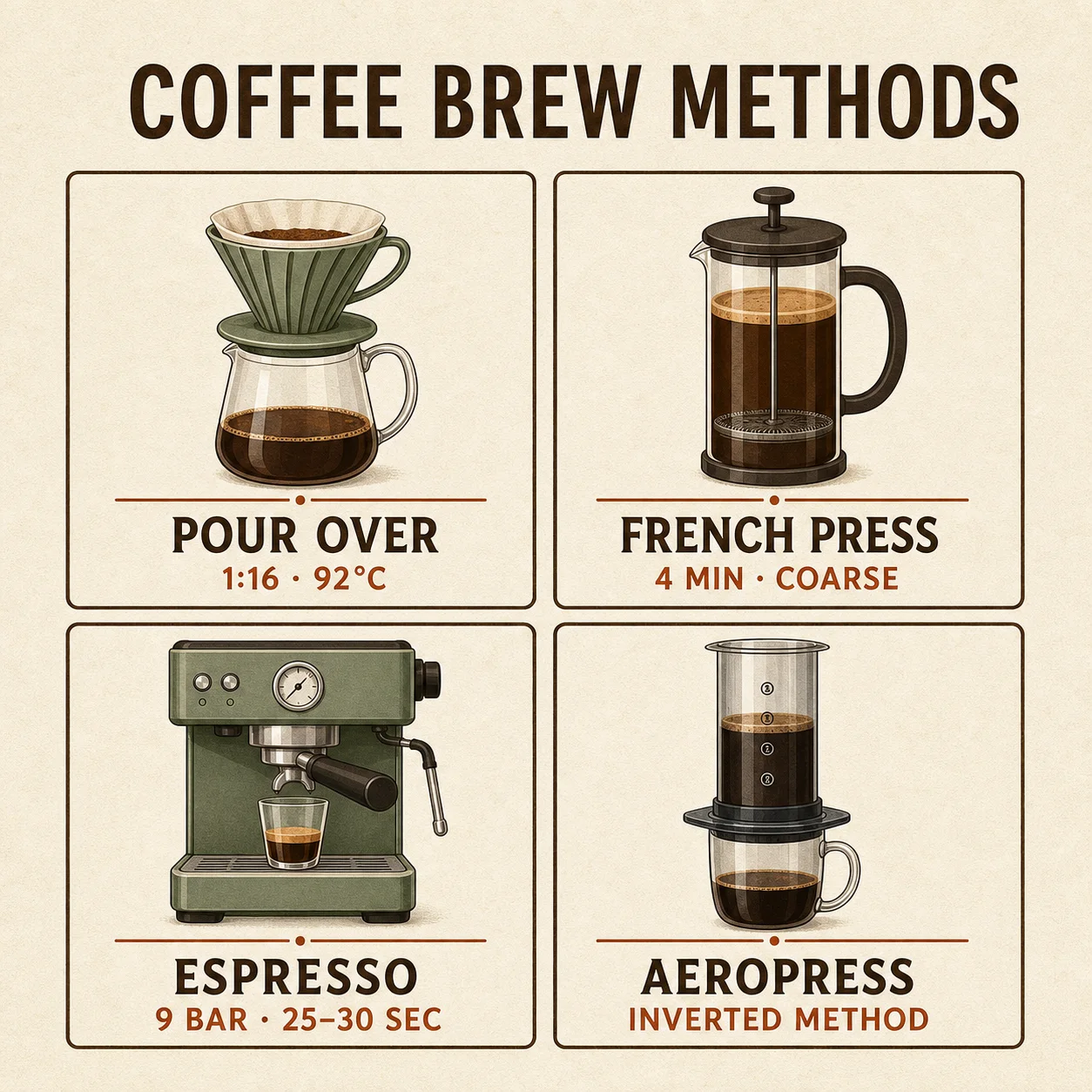
The image makes the audit simple. Check nine strings, four equal cells, and four recognizable tools. If one label fails, rewrite that cell instead of expanding the whole Qwen Image 3.0 prompt.
Qwen Image 3.0 Prompt Use Case 2: Multilingual Poster Text
@stevibe’s poster prompt combined English, Japanese, Spanish, a date stamp, icon cards, and vertical Japanese. This adapted version keeps the language stress test while shortening the copy.
Vertical A2 harbor night-market poster in a restrained 1970s Japanese
travel-poster style, with risograph grain and a sunset harbor scene.
Text exactly once:
"HARBOR LIGHTS"
"NIGHT MARKET"
"ハーバーライツ夜市"
"Mercado Nocturno Luces del Puerto"
"SAT · AUG 15 · 5PM–MIDNIGHT"
Right-edge vertical Japanese: "夏の思い出をここで"
No other readable text, logos, QR codes, or watermark.
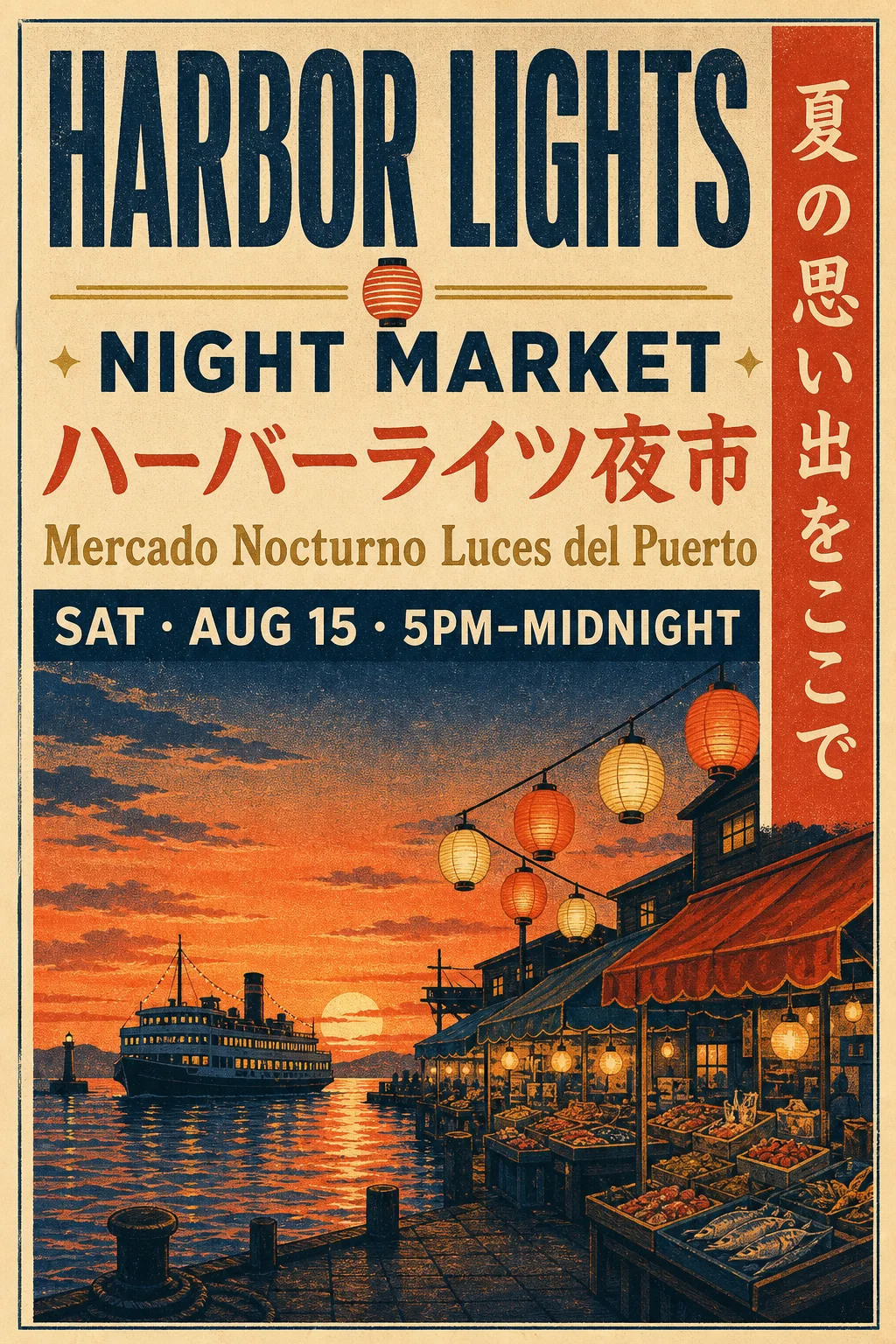
Score each writing system separately. A correct English headline does not compensate for a broken Japanese character.
Qwen Image 3.0 Prompt Use Case 3: A Nine-Panel Storyboard
The public Qwen Image 3.0 prompt discussions repeatedly return to multi-panel coherence. This is where long structured instructions earn their space.
One 3x3 storyboard with nine equal panels and thin black gutters.
Number panels 01–09 in the same top-left position.
Character lock: the same woman in her mid 60s, short silver hair,
round red glasses, mustard raincoat, small brown dachshund, blue leash.
Weather lock: steady light rain and the same overcast morning.
Story: she delivers one kraft-paper parcel to a blue door.
Final panel: the closed blue door with a thin red thread caught in the frame.
No captions, speech bubbles, wardrobe changes, extra people, or watermark.
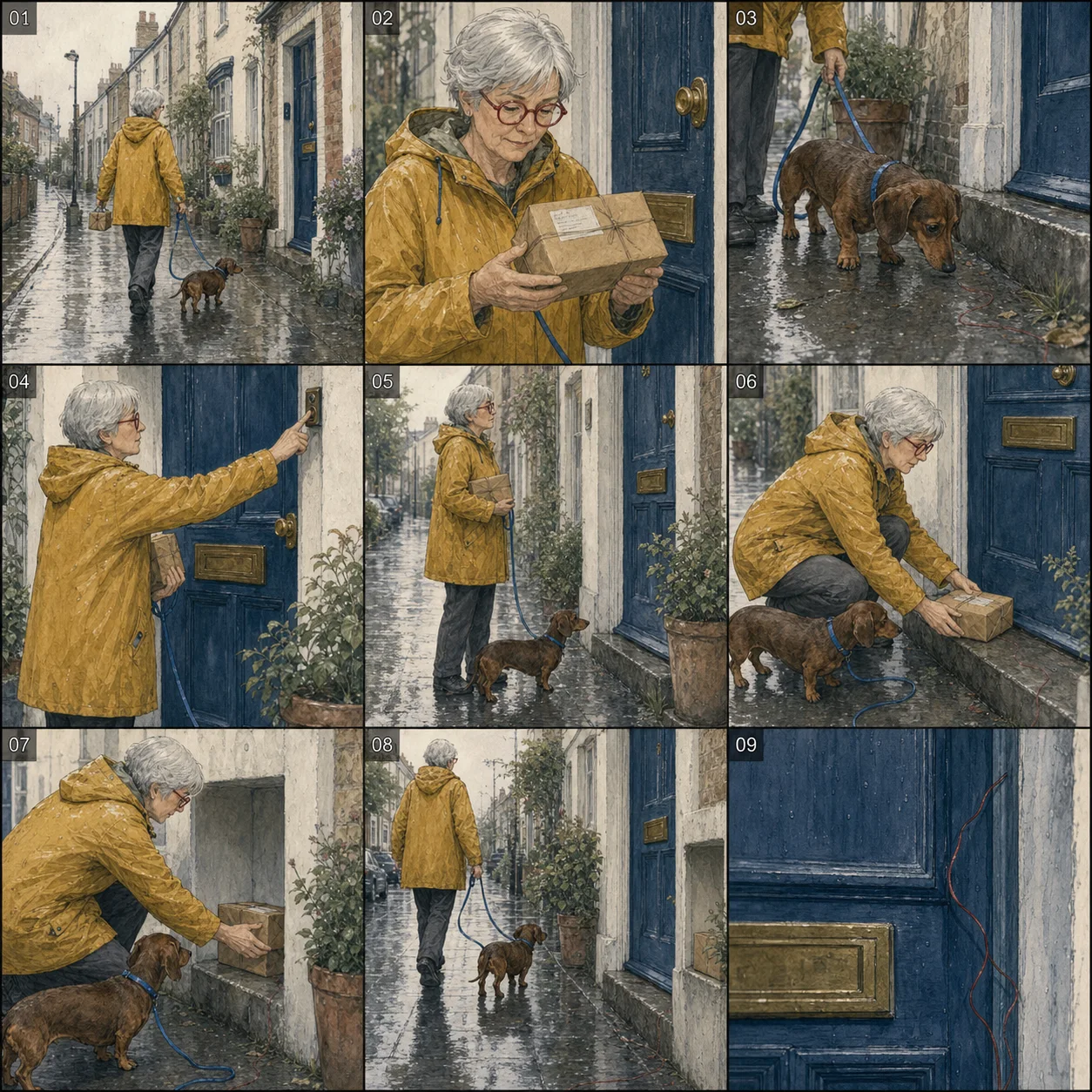
Look at the boring details: glasses shape, leash color, dog breed, and rain direction. Those reveal consistency better than the dramatic final panel.
Qwen Image 3.0 Prompt Use Case 4: Editorial Stress Test
@ivanainai’s A/B test stacked text, hands, reflections, wet glass, symbols, and a glass chess piece in one 4:5 image. That is a useful stress test because every requirement is visible.
Vertical 4:5 photorealistic fashion editorial through rain-speckled glass.
One woman holds a sharp cream magazine toward the camera.
Magazine text exactly: "LOOK CLOSER.", "ONE PROMPT. ZERO FIXES.",
and "JULY 2026 · ISSUE 03".
Cover object: one transparent glass chess knight containing one red rose.
Behind her, left to right: circle, triangle, square.
Both hands visible with natural anatomy. Reflected writing correctly mirrored.
No other readable text, logos, extra hands, extra flowers, or watermark.
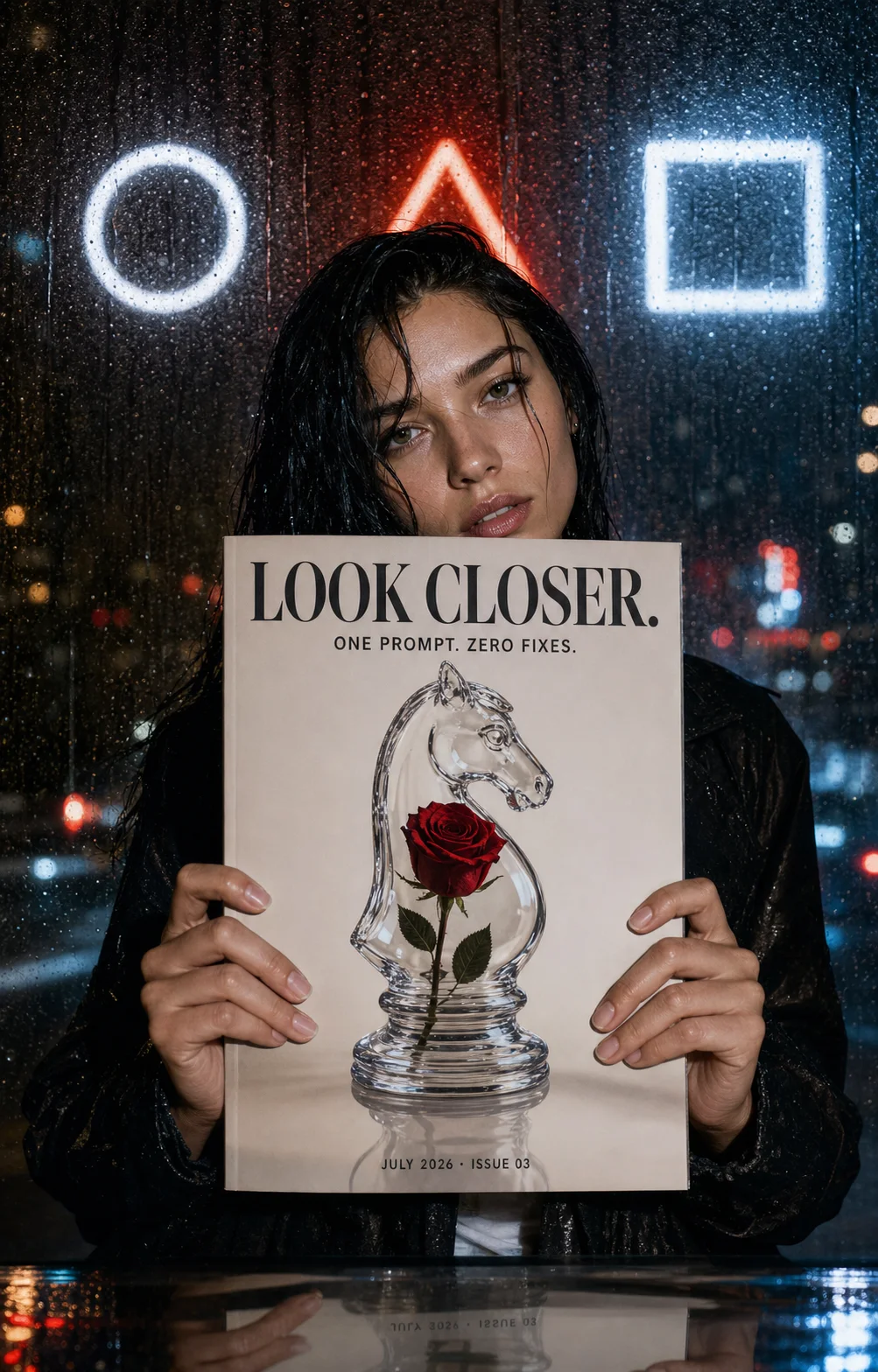
This prompt can fail in several honest ways. Record which one happened: text, anatomy, object count, symbol order, or reflection. “Looks good” is too vague to guide the next attempt.
Qwen Image 3.0 Comparison: When Another Model May Be Safer
The X evidence does not support calling Qwen Image 3.0 a universal winner.
| Job | Qwen Image 3.0 looks strongest when | Consider an alternative when |
|---|---|---|
| Dense infographic or exam sheet | One pass must hold many regions and labels | Long body copy must be publication-ready |
| Multilingual poster | Several scripts share one controlled hierarchy | The piece is mostly style exploration |
| Storyboard | A full grid needs one character and one lighting setup | You plan to generate and composite panels separately |
| Photoreal editorial | Layout, type, and object constraints matter together | Overall fidelity and reroll reliability matter most |
@mark_k called Qwen Image 3.0 a major improvement, then said GPT-Image-2 remained well ahead in overall quality and reliability. That criticism had 226 likes and belongs beside the launch claims.
Qwen Image 3.0 User Testimonials and What They Actually Prove
“these pictures are NOT screenshots. all generated in a single pass.” @swyx, 237 likes
This supports the single-pass claim. It does not prove every prompt will reproduce the official examples.
“I have tested 4 prompts across 4 image models.” @stevibe, 179 likes and 93 bookmarks
This is valuable because the prompts are inspectable and the models share the same task.
“a major improvement over the previous version” @mark_k, 226 likes
The rest of that post is critical. Quoting only the positive phrase would misrepresent the testimonial.
Qwen Image 3.0 Prompt Guide FAQ
Should every Qwen Image 3.0 prompt be long?
No. Use sections when the image has sections. One subject on a plain background benefits from a shorter prompt.
Can Qwen Image 3.0 render 10px text reliably?
The 10px figure is an official capability claim. Public tests also show spelling and long-copy failures. Treat tiny text as a test condition, then proof it at full resolution.
How can I reduce unwanted logos and extra words?
End with a specific exclusion list. “No other readable text” is stronger than “keep it clean” because the result can be checked.
Can I publish the first output?
For decorative art, perhaps. For menus, educational diagrams, ads, and product pages, check every word, number, hand, symbol, and brand element first.
Qwen Image 3.0 Prompt Checklist
Before generating:
- one declared canvas and reading order
- one inventory of exact strings
- one lock block for repeated details
- one short list of forbidden extras
After generating:
- compare every character with the prompt
- count panels and objects
- inspect repeated details at 100% zoom
- save the first-output score before changing the style
That is the useful core of this Qwen Image 3.0 prompt guide. A good prompt leaves evidence. When the image fails, you can point to the failed clause and change one thing.